Packages & pricing
Sky Glass Subscription: IPTV Sky Glass Deals, Packages & Prices in the UK
IPTV Sky Glass subscription, Sky Glass deals, packages & prices in the UK. Compare plans, explore features and choose the right Sky Glass IPTV package today!
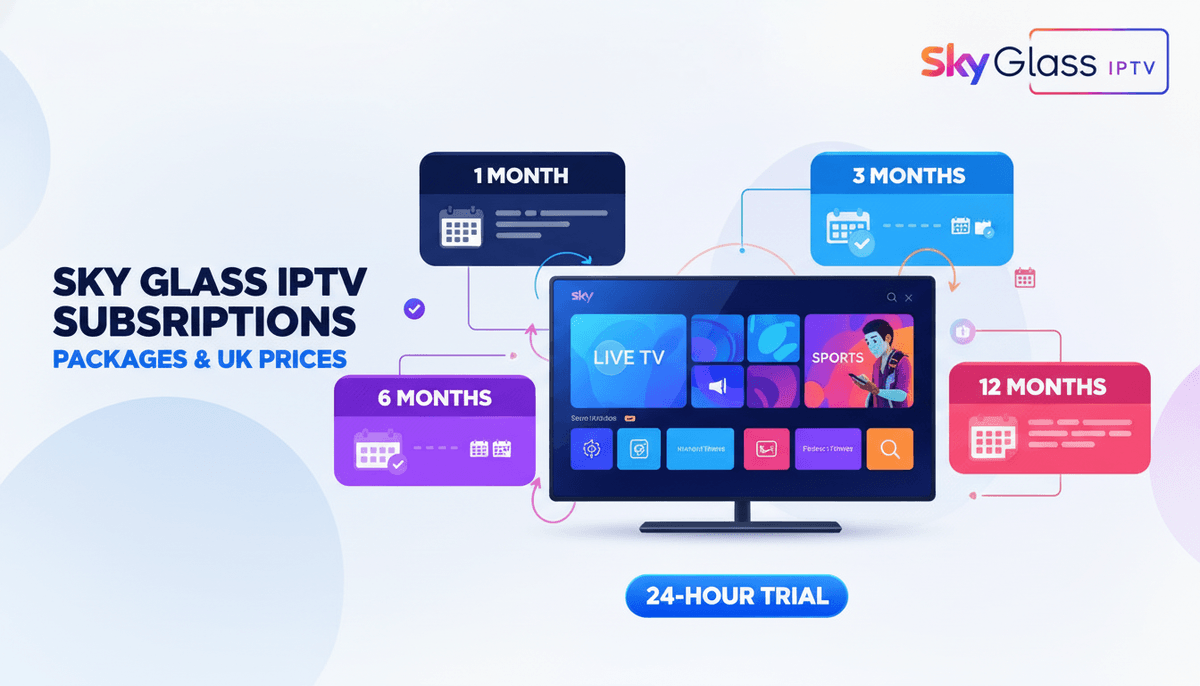
Choosing a Sky Glass IPTV subscription starts with understanding what you get, how much you pay, and which subscription period suits your viewing habits. Some viewers prefer a shorter package to test the service, while others want a longer subscription so they do not have to renew every month.
Sky Glass IPTV offers different subscription durations, with Standard and Premium options available. You can choose between one, three, six, and twelve-month Standard packages, depending on how long you want access. There is also a 24-hour trial available if you want to check the service before making a payment.
Whether you are searching for a Sky Glass subscription, comparing Sky Glass deals, or checking the latest Sky Glass package prices, this guide explains the available options, package features, and things to consider before choosing a plan.
What Is a Sky Glass IPTV Subscription?
A Sky Glass IPTV subscription provides access to the live television and on-demand categories available through your selected package.
Instead of relying on a traditional satellite dish, the service uses an internet connection and a compatible IPTV application. Once your account is activated, you receive the login or playlist details required to configure your device.
Depending on the selected package and current content availability, you can explore categories such as live television channels, sports programming where included, movies and films, television series, news and documentaries, family entertainment, international programming, and an Electronic Programme Guide (EPG) where supported.
You should check the availability of any particular channel, sports event, or programme before ordering. Content can change, and the exact selection may differ between packages.
Sky Glass IPTV Subscription Packages
The Sky Glass IPTV package options are designed for viewers who want to choose their subscription according to duration and viewing requirements.
You can select a Standard package or ask about the available Premium option. The subscription duration determines how long your account remains active.
Here is an overview of the published Standard subscription prices for one account.
| Subscription package | Duration | Total price |
|---|---|---|
| Sky Glass IPTV 1 Month | 1 Month | £12 |
| Sky Glass IPTV 3 Months | 3 Months | £20 |
| Sky Glass IPTV 6 Months | 6 Months | £30 |
| Sky Glass IPTV 12 Months | 12 Months | £45 |
These are the full amounts for the selected subscription periods, not monthly instalments.
The published Standard package includes one account with one simultaneous stream. If you need more than one person to watch at the same time, confirm the available multi-connection options and prices before ordering.
1. Sky Glass IPTV 1 Month Subscription
A one-month Sky Glass IPTV subscription is suitable for someone who wants a shorter commitment. It can be a useful starting point if you are new to the service, have recently changed your streaming device, or want to check how the available content works with your internet connection. The published Standard price is £12 for the full month.
2. Sky Glass IPTV 3 Month Subscription
The three-month package provides a longer subscription period without requiring a full six or twelve-month commitment. The published Standard price is £20 for three months. This option may suit viewers who have already tested the service and want to continue using it for a few months.
3. Sky Glass IPTV 6 Month Subscription
The six-month Sky Glass IPTV package is another option for regular viewers. It provides access for half a year, so you do not need to arrange a renewal every month. The published Standard price is £30 for the complete six-month period.
4. Sky Glass IPTV 12 Month Subscription
The twelve-month package is intended for viewers who prefer a longer subscription. The published Standard price is £45 for the full year — an equivalent of £3.75 per month when divided across twelve months. You pay the complete subscription price upfront rather than making twelve monthly payments.
Sky Glass Package Prices: How Much Does It Cost?
One of the most important things to check before ordering is the complete subscription cost. The Sky Glass package prices depend on the selected duration and package type.
Standard subscription price comparison
| Plan | Full price | Monthly equivalent |
|---|---|---|
| 1 Month | £12 | £12.00 |
| 3 Months | £20 | £6.67 |
| 6 Months | £30 | £5.00 |
| 12 Months | £45 | £3.75 |
The monthly equivalent is shown only to help compare the total cost. It does not mean that you pay monthly.
The twelve-month Standard subscription has the lowest monthly equivalent among these listed options. However, the right choice depends on how long you want access and whether you have already tested the service.
Are Premium Package Prices Different?
Sky Glass IPTV also provides a Premium option. The Premium package is intended for viewers who want to compare the broader content selection or additional features available with that option.
You should not assume that every channel or feature is automatically included. Ask support for the current Premium price and a clear explanation of how it differs from Standard before making a payment.
Sky Glass IPTV Deals: Which Subscription Offers Better Value?
When looking for Sky Glass deals, it is worth comparing the complete subscription cost instead of looking only at the monthly equivalent. A shorter subscription requires less money upfront, while a longer package can offer a lower equivalent monthly cost.
| Sky Glass IPTV deal | What it offers | Suitable for |
|---|---|---|
| 1 Month – £12 | Short subscription period | New users and short-term viewing |
| 3 Months – £20 | Three months of access | Viewers wanting a moderate commitment |
| 6 Months – £30 | Six months of access | Regular viewers |
| 12 Months – £45 | Full year of access | Viewers comfortable with a longer plan |
The twelve-month package has the lowest monthly equivalent, but it also requires the highest upfront payment. The three-month package may be a more practical choice if you want to try the service for longer without committing to a full year.
There is also a 24-hour trial available. You can use it to test compatibility and performance before choosing a paid package. Always confirm the current prices and terms before ordering, as offers and package details can change.
What Is Included in a Sky Glass IPTV Package?
The package you select determines your subscription period and the available service options. The published Standard package includes access to available live television and on-demand categories.
Live TV channels
Browse available live television channels through a compatible IPTV application. Categories may include general entertainment, news, lifestyle, family programming, and international content. The exact channel list can change, so check any important channel with support before subscribing.
Sports programming
Sports programming may be available where included in the selected package. If you follow a particular sport, competition, or live event, confirm its availability before ordering.
Movies and films
Browse films across different genres in the on-demand movie category. Depending on the current catalogue, you may find action, comedy, drama, thriller, family, and other entertainment.
TV series
The on-demand series section provides access to available television programmes and episodes through your package, rather than relying only on scheduled live broadcasts.
News and documentaries
News and documentary categories may also be available for viewers who want a mixture of general entertainment and informational programming.
Family and international entertainment
Family and international entertainment categories give different household members more options to explore through the same compatible application.
Electronic Programme Guide
An EPG displays programme names and schedules for supported channels. Availability depends on the channel, data source, and compatible player.
Sky Glass IPTV 24-Hour Trial: Test Before You Subscribe
If you are not sure which package to choose, start by requesting the available 24-hour trial. A trial gives you an opportunity to check the service using your own device and internet connection before purchasing a longer subscription.
During the trial, you can check:
- Whether your device is compatible.
- Whether the application loads correctly.
- How the channel categories are organised.
- Whether the available content meets your requirements.
- How smoothly the streams play on your connection.
- Whether the picture quality meets your expectations.
- Whether the EPG works on supported channels.
- How easy it is to browse the application.
It is better to test the service during the hours when you normally watch television. Remember that trial access may not include every category or feature available with a full paid subscription. Ask support about any differences before ordering.
Which Devices Support Sky Glass IPTV?
You do not necessarily need a new television to use an IPTV subscription. Sky Glass IPTV supports different device categories through its official application on compatible Firestick and Android devices, as well as alternative compatible players on other platforms.
| Device | Setup option |
|---|---|
| Amazon Firestick | Compatible IPTV application |
| Fire TV Cube | Compatible IPTV application |
| Android TV | Supported Android application |
| Google TV | Compatible IPTV application |
| Android TV Box | Supported IPTV application |
| Samsung Smart TV | Compatible third-party IPTV player |
| LG Smart TV | Compatible third-party IPTV player |
| Sony Smart TV | Compatible player, depending on model |
| Hisense Smart TV | Compatible player, depending on model |
| iPhone and iPad | Supported iOS IPTV player |
| Apple TV | Compatible tvOS IPTV player |
| Windows PC | Supported desktop IPTV player |
| Mac and MacBook | Compatible desktop IPTV player |
The correct application depends on your device model, operating system, and region. Some third-party IPTV players may charge a separate activation or licence fee. This cost is not necessarily included in your IPTV subscription.
How to Get a Sky Glass IPTV Subscription?
Getting started is straightforward. You need a compatible device, an internet connection, and the account details supplied after your trial or subscription is confirmed.
Choose your device
Decide where you want to watch — Firestick, Android TV, Smart TV, Apple TV, smartphone, tablet, or computer. Check that your device supports a compatible IPTV application.
Request a trial or choose a package
If you are new to the service, request the 24-hour trial first. Otherwise, compare the available subscription periods and select Standard or Premium after confirming current features and price.
Confirm the subscription details
Before paying, check the complete price, duration, package type, simultaneous connections, available content, and any separate IPTV player fee.
Receive your account information
Once your trial or subscription is confirmed, support provides the login or playlist information needed for your device.
Install the compatible IPTV player
Follow the installation instructions for your device. For Firestick and Android, use the supplied app guide. For Samsung, LG, Apple, and other platforms, choose an appropriate compatible player.
Sign in and test the service
Enter your account details carefully, allow the playlist to load, open a few channels, and check playback and programme information where supported.
Sky Glass Subscription vs Sky UK Subscription: What Should You Know?
Sky Glass IPTV is an independent IPTV service. It is not affiliated with, endorsed by, or officially connected to Sky UK Limited or the official Sky Glass television product.
People searching for a Sky Glass subscription or a Sky UK subscription may be looking for different types of television services. A traditional Sky UK subscription refers to television packages and services offered through the official Sky brand. Sky Glass is also the name of an official Sky television product.
Sky Glass IPTV, however, is the name of an independent IPTV service. It provides access to available content through an internet connection and compatible IPTV applications. The two should not be treated as the same product or subscription.
| Comparison | Official Sky subscription | Sky Glass IPTV |
|---|---|---|
| Service provider | Official Sky | Independent IPTV service |
| Viewing method | Depends on the official Sky package | Internet connection and compatible player |
| Equipment | Depends on the selected Sky service | Supported streaming device |
| Subscription options | Official Sky packages and terms | Standard and Premium options |
| Content | Depends on the official package | Depends on current IPTV package availability |
| Pricing | Set by Sky | Published IPTV subscription prices |
How to Choose the Right Sky Glass Package?
Consider your budget
If you want to spend less upfront, the one-month or three-month package may be more suitable. If you have already tested the service, compare the six and twelve-month prices.
Check the content you want
Do not choose a package only because it advertises a large selection. Check the actual availability of the channels, sports, movies, and programmes you regularly watch.
Think about subscription duration
Some viewers prefer renewing every month, while others want access for six or twelve months. Choose a duration that matches how you plan to use the service.
Check simultaneous connections
The published Standard package includes one account with one simultaneous stream. If several people need to watch at the same time, ask about multi-connection options before ordering.
Test your device first
A trial can help you confirm that your device and internet connection work with the service before purchasing a longer subscription.
Frequently Asked Questions About Sky Glass IPTV Subscription
Conclusion
Choosing a Sky Glass IPTV subscription is easier when you understand the available packages, total prices, and subscription periods before ordering.
The published Standard options include one month for £12, three months for £20, six months for £30, and twelve months for £45. You can also request a 24-hour trial to test your device and connection before selecting a longer package.
If you are comparing Sky Glass deals or checking Sky Glass package prices, look beyond the headline amount. Check the content you want, the number of simultaneous connections, device compatibility, and any separate player costs.