Installation guide
How to Install or Get Sky Glass IPTV on iPhone in 3 Minutes?
Learn how to install Sky Glass IPTV on iPhone using a compatible iOS player. Follow simple setup steps, add your IPTV details, and fix common issues.
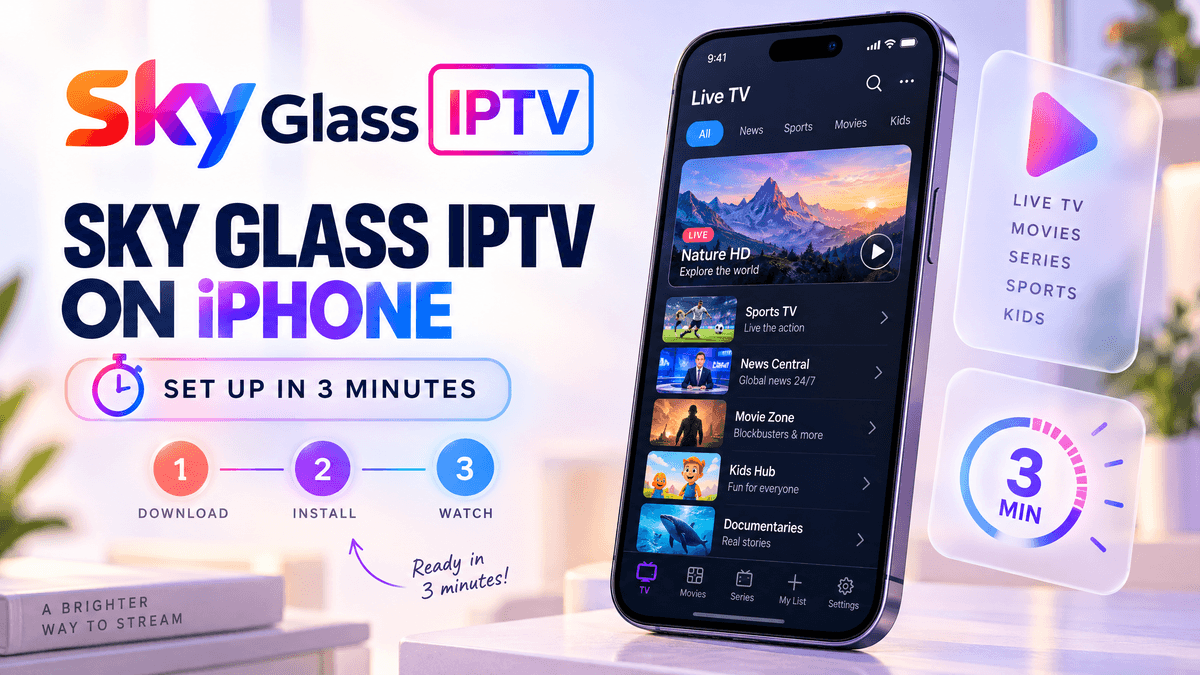
Want to get Sky Glass IPTV on your iPhone and watch your IPTV channels without using a Firestick or another streaming device? The setup is straightforward when you have the correct IPTV app and login details.
Start by checking which Sky Glass IPTV app or IPTV player your provider supports on iPhone. If the recommended app is available in the App Store, install it, enter your IPTV username and password or add your M3U or Xtream Codes details, and wait for your channels and content to load.
If you cannot find the Sky Glass IPTV app in the App Store, do not worry. Your IPTV subscription may work through another compatible iPhone IPTV player. This guide explains the easiest ways to get Sky Glass IPTV working on iPhone, including how to choose the right player, add your subscription, and fix common problems such as login errors, missing channels, buffering, and an EPG that does not update.
Can You Get Sky Glass IPTV on iPhone?
Yes, you may be able to use a Sky Glass-style IPTV service on an iPhone, but the exact method depends on the application and IPTV provider.
The first thing to check is whether your provider has a dedicated Sky Glass IPTV iPhone app. If it does, search for the application by its exact name in the Apple App Store.
Apple’s normal method for installing iPhone applications is through the App Store. You open the App Store, search for the application, select it, and tap Get to install it.
However, you may not find an app called exactly Sky Glass IPTV. This does not necessarily mean your IPTV service cannot work on iPhone. Your provider may use a separate IPTV player that accepts your subscription details.
What Is Sky Glass IPTV on iPhone?
The terminology can be confusing. When people search for Sky Glass IPTV, they can be referring to:
- An IPTV service with a Sky Glass-style interface
- A branded IPTV application
- A Sky Glass IPTV player
- An IPTV subscription that works through another player
- The actual Sky Glass television service
These are not necessarily the same thing. Reddit discussions are useful here because users who have seen the Sky Glass interface on Firestick often describe it as a re-skinned IPTV application rather than the actual Sky Glass TV platform. Some users specifically mention IPTV Smarters or XCIPTV-style applications underneath the branding.
Therefore, if you have a Sky Glass IPTV subscription, ask your provider which iPhone application it supports before installing a random app.
How to Install Sky Glass IPTV on iPhone
The easiest method is to use an iPhone-compatible application available through the App Store.
Your provider may tell you to use:
Step 1: Check your IPTV provider
Before downloading anything, check your IPTV subscription information. Your provider may tell you to use a specific IPTV player, an M3U playlist, Xtream Codes, a username and password, a server or portal address, or a provider-specific application. Do not assume that an app used on your Firestick will also work on iPhone — Firestick and iPhone apps are built for different operating systems.
Step 2: Open the App Store
Open the App Store on your iPhone. Tap Search and enter the exact name of the IPTV player recommended by your provider. Apple shows information such as the developer, compatibility, ratings, privacy information, and supported devices on an app’s App Store page. If your provider has a genuine iOS version of its Sky Glass IPTV app, search for that exact application.
Step 3: Install the compatible player
Once you find the correct application, check the developer name before installing it. Tap Get and complete Face ID, Touch ID, or Apple Account authentication if requested. The application will then appear on your iPhone or in the App Library. Avoid downloading an unknown IPA file or configuration profile simply because a website claims it is the “Sky Glass iPhone app.”
Step 4: Add your IPTV account
Open the IPTV application after installation. Depending on the player, you may see options such as Xtream Codes API, M3U Playlist, or a provider-specific login screen. Enter the information supplied with your IPTV subscription. If you have an M3U URL, enter the complete URL exactly as provided. For Xtream Codes you may need username, password, and server URL.
Step 5: Allow the playlist to load
After submitting your details, give the application some time to load the available content. Depending on your IPTV service, you may see categories such as Live TV, Movies, Series, Catch-up, Favourites, or TV Guide / EPG. An IPTV player itself does not automatically provide channels — it connects to your playlist or provider account.
Can You Install the Sky Glass APK on iPhone?
No. An Android APK designed for Firestick or Android devices cannot simply be installed on an iPhone. This is one of the most important differences between Sky Glass IPTV Firestick and Sky Glass IPTV iPhone setups.
If you previously used a Sky Glass APK on a Firestick, do not download the same APK to your iPhone. iOS uses its own application format and security system. Instead, look for an iOS-compatible version of the application or use an IPTV player that supports your subscription.
What If Sky Glass IPTV Is Not in the App Store?
If you search for the Sky Glass IPTV app and cannot find the exact application, there are several possibilities.
The app has a different name
The IPTV provider may use a generic player or another branded application on iPhone. Ask the provider which iOS player is compatible with your subscription.
The app is not available for iPhone
Some IPTV applications are designed specifically for Android, Fire TV, or other platforms. In that case, you will need an iPhone-compatible IPTV player that supports the login method supplied by your provider.
The application is region restricted
App availability can vary by country or region. Do not change your Apple Account region simply to install an unknown IPTV application. Check with the developer or provider first.
Can You Sideload Sky Glass IPTV on iPhone?
It depends on your location and the way the application is distributed. Apple currently supports alternative app distribution in the European Union, Japan and Brazil, with the exact options varying by region. In the European Union, Apple also supports app installation directly from eligible developer websites.
That does not mean every IPTV APK or IPA found online can be installed safely. If you are outside an eligible region, the normal App Store route remains the practical option.
For most users, the safer approach is straightforward: find a legitimate iOS-compatible IPTV player in the App Store and use the login or playlist details supplied by your IPTV provider.
Sky Glass IPTV Not Working on iPhone? Try These Fixes
If your Sky Glass IPTV player opens but does not work correctly, identify where the problem occurs.
IPTV app will not install
Check that your iPhone meets the app’s compatibility requirements. Apple displays compatibility information on App Store listings. Also check your available storage and iOS version.
IPTV login does not work
Check every field carefully. A single incorrect character in the username, password, or server address can prevent the playlist from loading. If the same credentials work on another device but not your iPhone, check that you have selected the correct login method in the iPhone player.
Playlist loads but channels do not play
Check whether every channel fails or only some, whether the subscription is active, whether the player supports the stream format, whether your provider has an outage, and whether another compatible player can connect. If only one application has the problem, the issue may be with the player rather than your account.
IPTV keeps buffering
Test another video application on your iPhone. Restart the IPTV app and iPhone, switch between Wi-Fi and mobile data for testing, move closer to your Wi-Fi router, and check whether other devices are using the connection heavily. Contact your provider if only its streams are affected.
EPG is not updating
If live channels work but the TV guide is empty or outdated, check the EPG settings inside the IPTV player. Some players require the EPG source to be configured separately. If the provider supplies an EPG URL, confirm that it is still active.
Sky Glass IPTV on iPhone vs Firestick
The basic idea is similar, but the installation process is different. The biggest mistake is trying to copy the Firestick installation method directly onto an iPhone.
| Feature | iPhone | Firestick |
|---|---|---|
| Operating system | iOS | Fire OS |
| Normal app source | App Store | Amazon Appstore |
| APK installation | No | Possible on supported setups |
| IPTV player | iOS-compatible player | Fire TV-compatible player |
| M3U support | Depends on player | Depends on player |
| Xtream Codes | Depends on player | Depends on player |
| Provider login | Usually required | Usually required |
If you previously installed Sky Glass IPTV on Firestick, you may need a different player for your iPhone. See our Firestick install guide if you still need that setup.
Frequently Asked Questions
Conclusion
Getting Sky Glass IPTV on iPhone is straightforward when you have the correct app and IPTV details. Start by checking which iPhone-compatible app or Sky Glass IPTV player your provider recommends, then install it and add your subscription using the provided username and password, M3U playlist, or Xtream Codes details.
If you cannot find the exact Sky Glass IPTV app in the App Store, check with your provider for the recommended iPhone IPTV player. Once your account is added, your available live TV, movies, series, and other content should appear inside the app.
If the setup does not work, check your login details, internet connection, playlist or subscription status first. These simple checks can resolve many common IPTV problems on iPhone.
With the right app and account details, you can enjoy Sky Glass IPTV on your iPhone without needing a Firestick or another streaming device.